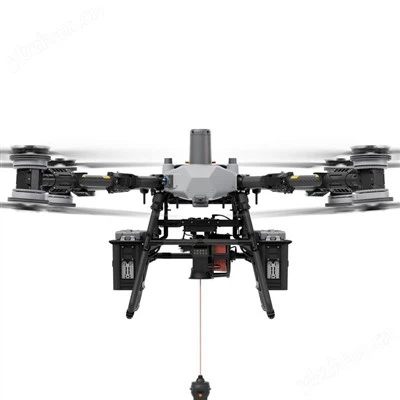
The A40TR Pro UAV gimbal payload camera is a three-axis high-precision AI object tracking gimbal camera with 40x optical zoom, a 3000-meter laser rangefinder, and a 2.13-megapixel high-resolution EO sensor and a 640*512 resolution 19mm lens uncooled long-wave infrared thermal imaging sensor.
The A40TR Pro UAV gimbal payload camera supports optical zoom, photo and video recording, target tracking, thermal imaging digital zoom, and AI-powered automatic vehicle and personnel recognition. The OSD displays gimbal pitch angle, optical zoom magnification, camera field of view, and tracking frame information. After inputting external GPS and time, the screen displays GPS latitude, longitude, altitude, and real-time time. The OSD can be turned on or off. GPS coordinates and shooting time can also be saved to image files. It features an aluminum alloy shell and anti-interference capabilities. The three-axis gimbal provides yaw, roll, and pitch stabilization. The integrated damping system significantly reduces mechanical vibration, thus stabilizing the image.
The A40TR Pro UAV gimbal payload camera is widely used in public safety, emergency rescue, and other drone industries and industrial applications.
Products Specification
| Attribute | ZK-A40TR Pro | ZK-A40T Pro | ZK-A40 Pro |
| Sensor | 1/2.8" CMOS | 1/2.8" CMOS | 1/2.8" CMOS |
| Zoom Multiple | 40X | 40X | 40X |
| Effective Pixel | 2.13MP | 2.13MP | 2.13MP |
| Detector Pixel | 640×512, 19mm | 640×512, 19mm | / |
| Pixel Size | 12μm | 12μm | / |
| Laser Rangefinder | 50~3000m | / | / |
| AI function | Yes, AI | Yes, AI | Yes, AI |
| Net Weight | 990g | 941g | 882g |
| Dimension | 125*134.5*204.7mm | 118*134.5*193.8mm | 118*134.5*193.8mm |

Products Main Features
40X AI Automonous-Identification and automatic tracking
A40TR Pro 40x EO + IR+ LRF AI Object Tracking Gimbal Camera


Product Advantages
- Customized Al :Al recognition can be customized based on the target characteristics (animals, armored car, Boat)
- GPS Coordinate Resolving of Target Obiect and Robot: It can analyze the longitude and latitude of the object accurately, and display the on the screen. It has a great auxiliary role in the enforcement of military and police.
- Direct Remote Identification:(people) 1.8x0.5m (detective distance:792m/recognize distance:198m/verified distance:99m
- (Car)4.2x1.8m,Detective Distance:2428m/Recognize Distance:607m/Verified Distance:303m
- quick release connector:Supports Ethernet output and controlling. Output options: Ethernet/IP (RTSP, RTMP, UDP), FHD HDMl and SDl.
- Control methods are also optional between: TCP,UDP, UART, ONVIF, PWM and SBUS. Supports max 128G micro-SD card record

FAQ
- Q1: Forgot the camera IP after changing it?
To restore the default IP (192.168.2.119):
1) Format a TF card to FAT32. (If it is already FAT32, formatting is not necessary.)
2) Copy the file ip_bak.txt to the root directory of the TF card.
3) Power on the gimbal and wait for 3 minutes, the IP address will automatically reset to 192.168.2.119.
4) Power off the gimbal.
5) Confirm that the file ip_bak.txt is disappeared from the card - this means the reset was successful.
6) Insert the card back and power on. The IP should now be restored to 192.168.2.119.
- Q2: What is the video output mode of the A40T pro HDMI?
HDMI1080P60fps (default) / HDMI1080P30fps
- Q3: Does A40T pro support taking picture during video recording?
Yes.
- Q4: How does A40T pro store photos and videos?
The photo resolution saved in the TF card is 1920 * 1080, and the video is 1080P30fps.
Important Notice
- After using the product, please keep the device in dry environment to avoid fogging the lens due to excessive ambient humidity. If the lens fogs, turn on the camera for a while and wait for the fog to dissipate.
- When using the in frared thermal lens, do not aim at strong energy sources, such as the sun, laser beams, lava, etc. The temperature of the measured target must be less than 800°C, otherwise the lens will be burned and cause irreversible damage.
- When cleaning the dirty on surface of lens, make sure the cleaning cloth is soft and dry.
- Do not directly touch or scratch the coating on the surface of the infrared lens with your hands or hard objects, otherwise the coating will be damaged and cause blurred image.
- Do not plug or unplug the TF card when power on; after plugging and unplugging the TF card, please make sure that the TF rubber plug is tightly covered to prevent the power on self-check from failing.
Hot Tags: uav gimbal payload, China uav gimbal payload manufacturers, suppliers, factory